# BillTracker

BillTracker is a self-hosted app for tracking recurring bills, monthly payments, due dates, categories, and personal bill history. It runs as a Node/Express server with a React frontend and stores data in SQLite.
Demo Server
https://t1.scheller.ltd/
Username: guest
Password: guest123
## Screenshots
## What Is BillTracker?
BillTracker helps a household or small self-hosted setup keep bill data in one place:
- recurring bill records with due day, expected amount, category, notes, autopay details, and optional APR
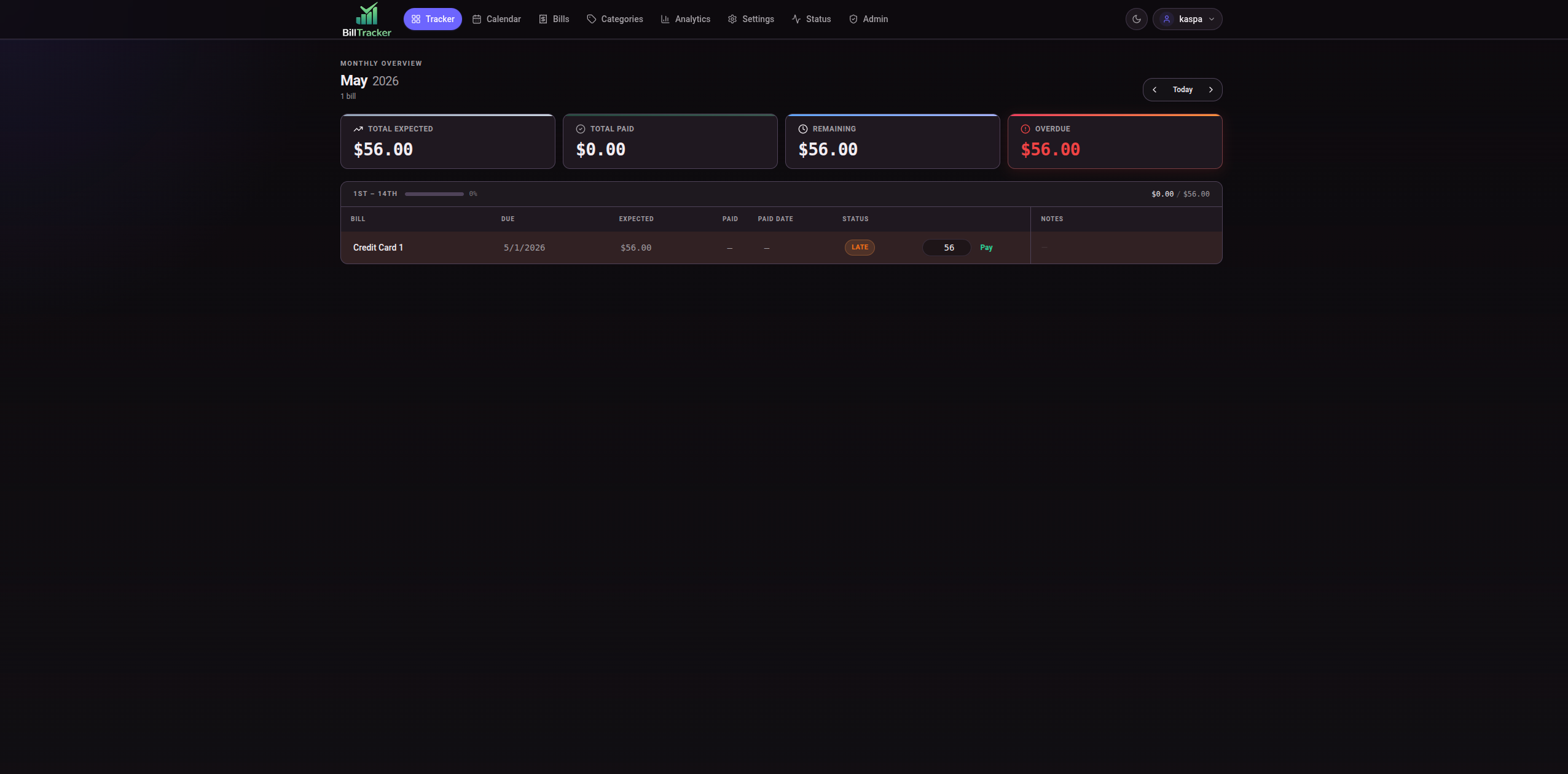
- monthly tracker with payments, skipped bills, actual monthly amounts, and notes
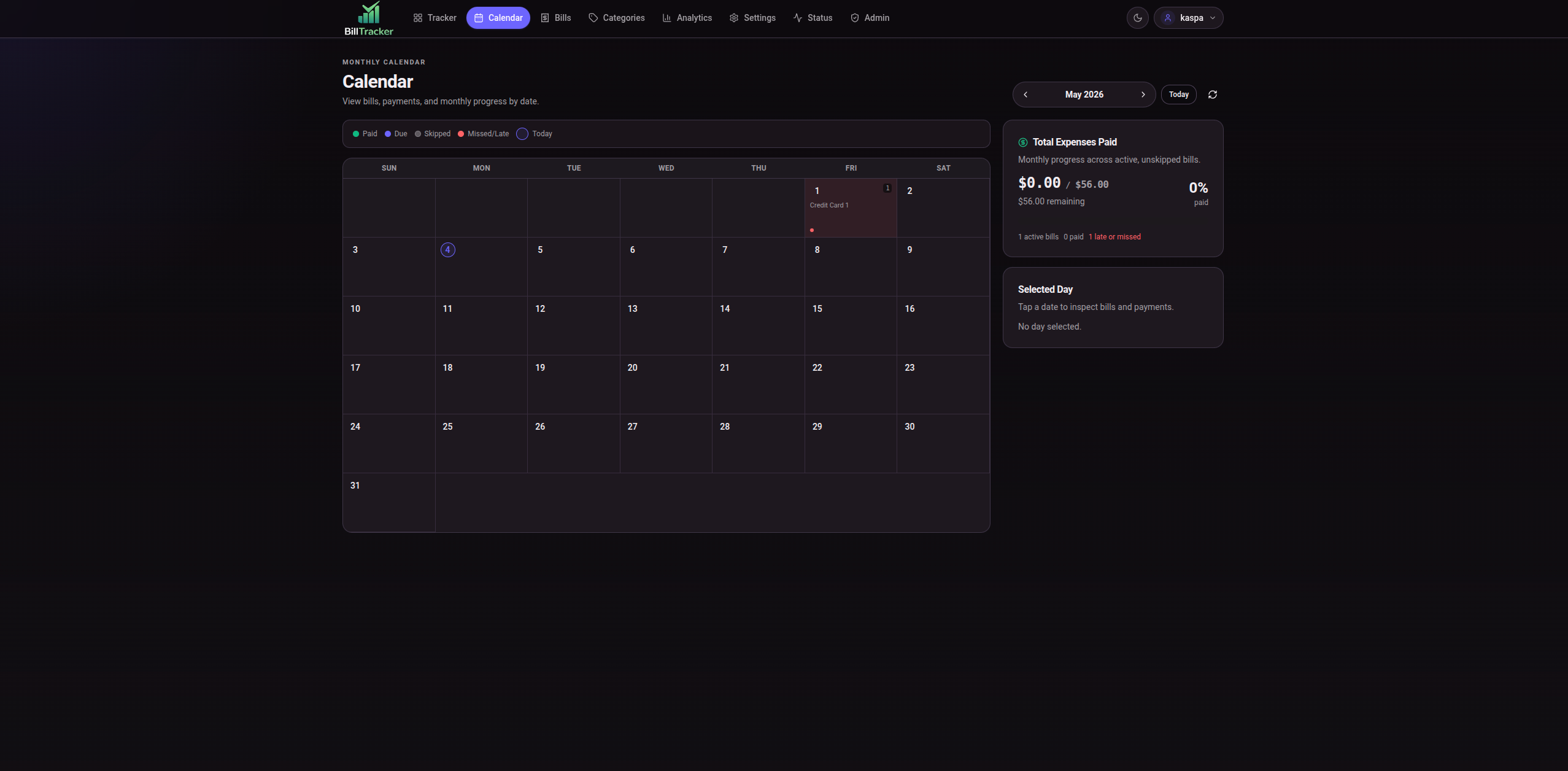
- calendar view for due dates and payments
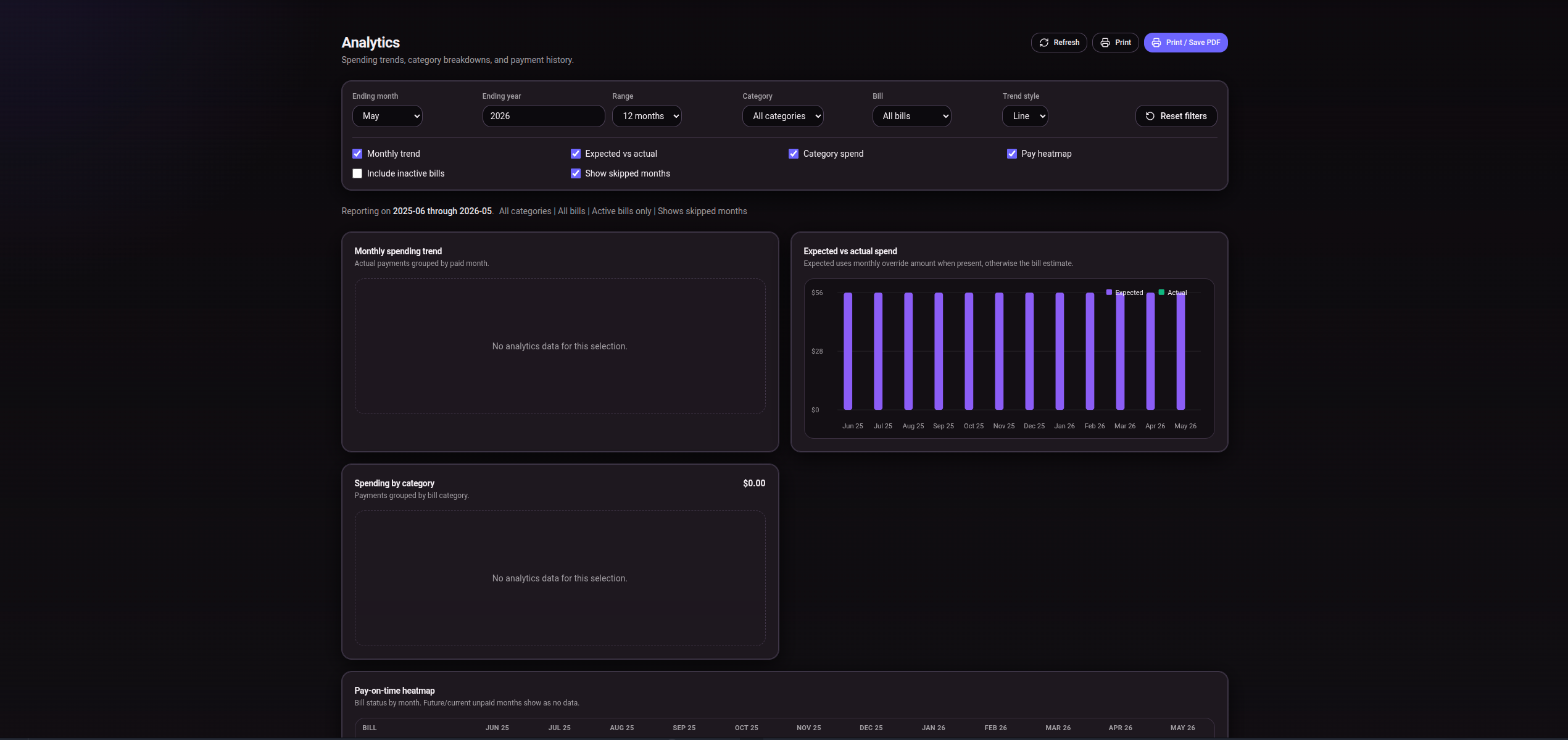
- analytics for monthly spending, expected vs actual totals, category spend, and payment history
- categories, profile, display name, notification preferences, password changes, and data tools
- admin user management, authentication settings, backups, cleanup, and status checks
## Features
- Tracker for month-by-month bill status, payment entry, notes, skipped bills, overdue totals, and month navigation
- Bills page for creating, editing, deactivating, reactivating, deleting, and controlling inactive bill history
- Calendar page with a monthly grid, bill due dates, payments, and progress summary
- Analytics page with date range, category/bill filters, charts, heatmap, and print output
- User-owned categories
- Settings for theme, currency, date format, and grace period
- Profile page with display name, notification preferences, password change, imports, exports, and import history
- User exports to Excel workbook or BillTracker user SQLite export
- XLSX spreadsheet import with preview and import decisions
- User SQLite import from exports created by this app
- Admin users, role management, password resets, full database backups/restores, scheduled backups, cleanup, auth settings, and status page
- Local username/password login and optional authentik/OIDC login
## Quick Start
Install dependencies:
```bash
npm install
```
Run the API and Vite frontend for development:
```bash
npm run dev
```
Build the frontend:
```bash
npm run build
```
Start the production server:
```bash
npm start
```
The production server serves `dist/` and listens on `PORT`, defaulting to `3000`.
Useful scripts present in this repo:
```bash
npm run dev:api
npm run dev:ui
npm run build
npm start
node scripts/test-import.js
node scripts/test-oidc-smoke.js
node scripts/test-cookie-options.js
```
## Docker
Docker files are included. The compose file runs the published image on host port `3030` and stores app data under `/data` in the container.
```bash
docker compose up -d
```
On first start without an existing database, create the admin account with:
```bash
INIT_ADMIN_USER=admin
INIT_ADMIN_PASS=change-this-password
```
Remove or change those first-run values after the initial admin account exists.
## Configuration
Most app settings are configured in the web UI. User-facing settings live under Settings/Profile. Server-wide settings such as users, backups, cleanup, and authentication methods live in Admin.
Real environment variables used by the app:
```bash
PORT=3000
NODE_ENV=production
DB_PATH=/path/to/bills.db
BACKUP_PATH=/path/to/backups
INIT_ADMIN_USER=admin
INIT_ADMIN_PASS=change-this-password
HTTPS=true
COOKIE_SECURE=true
CORS_ORIGIN=https://bills.example.com
```
OIDC environment fallback variables are supported when the matching Admin database setting is blank:
```bash
OIDC_PROVIDER_NAME=authentik
OIDC_ISSUER_URL=https://yourURL.com/application/o/bills/.well-known/openid-configuration
OIDC_CLIENT_ID=
OIDC_CLIENT_SECRET=
OIDC_TOKEN_AUTH_METHOD=client_secret_basic
OIDC_REDIRECT_URI=https://bills.example.com/api/auth/oidc/callback
OIDC_SCOPES="openid email profile groups"
OIDC_ADMIN_GROUP=bill-tracker-admins
OIDC_AUTO_PROVISION=true
```
Database-backed Admin settings take precedence over environment fallback values.
## Authentication
BillTracker supports local username/password login by default. Admins can create users, reset user passwords, promote/demote users, and configure login methods.
Optional authentik/OIDC login can be enabled in Admin. OIDC uses authorization code flow with PKCE, state and nonce validation, and `openid-client` token validation. OIDC users can be auto-provisioned when enabled.
Admin role is never granted by default through OIDC. Set an authentik admin group in BillTracker; only users whose OIDC `groups` claim includes that configured group become app admins.
BillTracker includes lockout checks so local login cannot be disabled unless OIDC is configured, enabled, and mapped to an admin group.
## authentik Setup
In authentik, create an OAuth2/OpenID provider/application for BillTracker:
- Client type: confidential
- Redirect URI: `https://bills.example.com/api/auth/oidc/callback`
- Scopes: `openid email profile groups`
- Groups claim: make sure authentik sends `groups`
- Admin group: create or choose the authentik group that should become BillTracker admins
In BillTracker, go to Admin -> Authentication Methods and set:
- Provider name: `authentik`
- Issuer/discovery URL: `https://yourURL.com/application/o/bills/.well-known/openid-configuration`
- Client ID and client secret from authentik
- Redirect URI matching the authentik allowed redirect URI
- Scopes: `openid email profile groups`
- Admin group: the exact authentik group name for BillTracker admins
- Auto-provision users: enabled if you want valid authentik users created on first login
The backend accepts either the provider issuer base URL or the full discovery URL. For authentik, the full discovery URL example is:
```text
https://yourURL.com/application/o/bills/.well-known/openid-configuration
```
Keep local login enabled until you have tested authentik login with an admin-group user.
## Data, Imports, Exports, And Backups
BillTracker stores data in SQLite. By default the database is `db/bills.db`; set `DB_PATH` for a different location. In Docker, the image sets `DB_PATH=/data/db/bills.db` and `BACKUP_PATH=/data/backups`.
User data is scoped to the signed-in user. User exports include bills, categories, payments, monthly bill state, notes, and export metadata. They do not include password hashes, sessions, admin settings, SMTP credentials, backup files, server paths, or other users' data.
Data tools:
- XLSX spreadsheet import with preview before apply
- user SQLite import from BillTracker user exports
- user SQLite export
- Excel workbook export
- import history
- admin full database backup, import, download, restore, delete, scheduled backups, and retention
Backups and exports contain sensitive financial data. The code writes SQLite backup files with restrictive file permissions, but backup/export encryption is not implemented. Protect downloaded files and backup storage yourself.
## Security Notes
- Auth is required for user data routes.
- Admin routes require an admin session.
- User-owned bill, category, payment, import, and export routes derive ownership from the authenticated session.
- Local login, password change, import, export, admin actions, and OIDC routes have per-IP in-memory rate limits.
- CORS is disabled unless `CORS_ORIGIN` is set.
- Baseline security headers are sent; HSTS is sent only when `HTTPS=true`.
- Session cookies are `httpOnly`, `sameSite=strict`, and marked secure when `COOKIE_SECURE=true`, `HTTPS=true`, or the request appears to be HTTPS.
- OIDC validation is handled through `openid-client` using discovered provider metadata and JWKS.
- Protect database files, backups, and exports as sensitive financial records.
## Reverse Proxy And HTTPS
Run BillTracker behind HTTPS for normal use. If TLS terminates at a reverse proxy, forward `X-Forwarded-Proto: https` so secure-cookie detection can work. You can also set `HTTPS=true` or `COOKIE_SECURE=true`.
Set `CORS_ORIGIN` only when the frontend and backend are served from different origins. For the normal same-origin deployment, leave it unset.
## Project Structure
```text
client/ React app, pages, layout, UI components
db/ SQLite connection, schema, startup migrations
middleware/ auth checks, rate limits, security headers
routes/ Express API routes
services/ auth, OIDC, backups, imports, cleanup, status, notifications
workers/ daily background tasks
setup/ first-run admin setup
scripts/ migrations and smoke/import tests
public/ legacy static assets
img/ app/runtime images and source screenshots
docs/images/ README images
```
## Upgrading
For a direct Node install:
```bash
git pull
npm install
npm run build
npm start
```
Restart your process manager after building. The app initializes the SQLite schema and runs additive migrations on startup; the Docker entrypoint also runs `scripts/migrate-db.js` before starting unless `RUN_DB_MIGRATIONS=false`.
For Docker, pull/rebuild the image, recreate the container, and keep the `/data` volume mounted.
## Known Limitations
- Admin backups and user exports are not encrypted by the app.
- OIDC single logout is not implemented.
- Content-Security-Policy is intentionally deferred.
- Rate limiting is in-memory, so counters reset on restart and are not shared across multiple app instances.
- authentik live login must be tested in your deployment with your authentik provider.
- The XLSX parser dependency has known upstream security advisories; the import route is authenticated, file-size limited, and parses cells as data.
## License
License: Not specified.